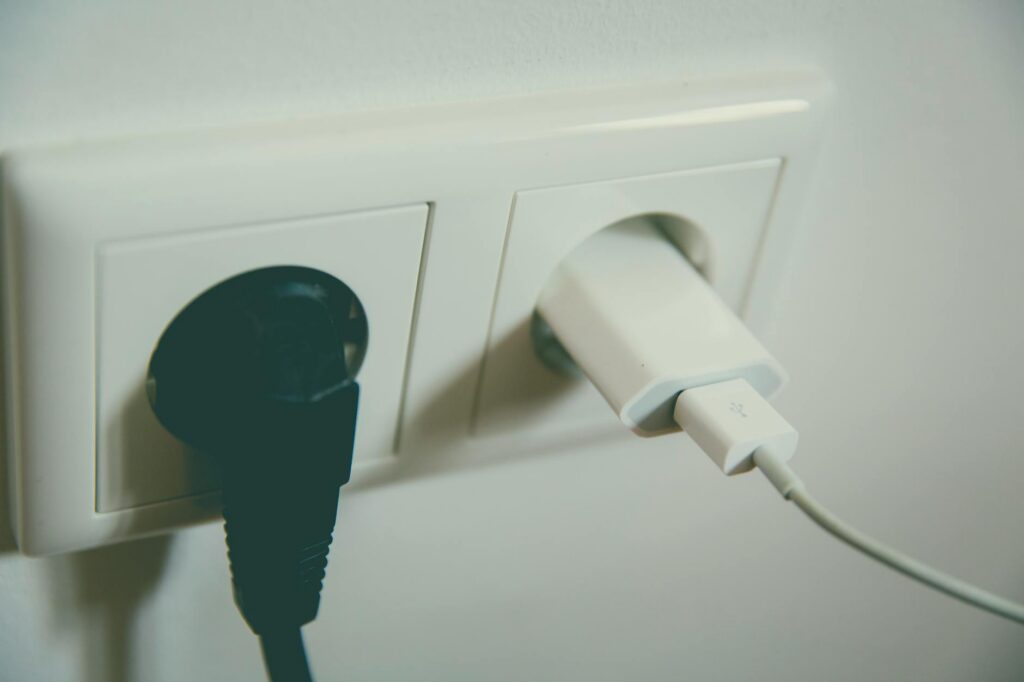
USB outlets and smart outlets offer modern convenience, but successful installation requires understanding voltage compatibility, circuit capacity, and smart home ecosystem requirements. This guide walks through the essential compatibility factors you need to know before upgrading your electrical system.
Understanding USB Outlet Compatibility Requirements
USB outlets come in several configurations, and compatibility depends on your existing electrical infrastructure. Standard USB outlets operate on 120V AC circuits in North America, converting that power to 5V DC for device charging. Before installation, you need to verify three critical factors:
Voltage Compatibility: All standard household USB outlets require 120V circuits. If you’re upgrading older buildings or international properties, confirm your wall circuits deliver 120V. Dual-voltage properties operating at 240V will require a step-down transformer before USB installation.
Circuit Amperage: Most USB outlets draw between 2.1 to 4.8 amps depending on the number of ports and charging capability. A standard 15-amp circuit can safely support one USB outlet without issue. However, if you’re adding USB outlets to heavily loaded circuits (kitchen counters, workshop areas), calculate total amperage. The National Electrical Code requires circuits to operate at no more than 80% capacity, meaning a 15-amp circuit should support maximum 12 amps of devices.
Box Depth Requirements: USB outlets require deeper electrical boxes than standard outlets—typically 2.625 inches deep instead of 1.5 inches. Measure your existing box depth before purchasing. Shallow boxes can cause outlet protrusion or unsafe internal wire compression, creating fire hazards.
Smart Outlet Compatibility and Smart Home Integration
Smart outlets add remote control and automation capabilities but introduce additional compatibility considerations beyond basic electrical requirements. Understanding these factors prevents installation mistakes and ensures reliable operation.
Wi-Fi and Connectivity Standards: Most smart outlets connect via 2.4 GHz Wi-Fi, though some premium models support 5 GHz dual-band networks. Check your router specifications before purchase. Additionally, consider whether you want proprietary ecosystems (Amazon Alexa-compatible, Google Home-compatible) or open-standard Z-Wave or Zigbee devices. Mixing incompatible systems prevents unified automation control.
Load Capacity and Electrical Limits: Smart outlets have maximum load ratings, typically 15 amps or 1,800 watts for standard household models. High-draw appliances like space heaters, air compressors, or welding equipment exceed these limits. Match outlet specifications to intended loads. A rule of thumb: if a device draws more than 80% of the outlet’s rated capacity continuously, it risks damaging the outlet’s internal components.
Neutral Wire Availability: Modern smart outlets often require a neutral wire connection (not just line and ground like older switches). Older homes built before 1990 may lack neutral wires in switch boxes, preventing smart outlet installation without rewiring. Test your existing switches first or consult the device manufacturer specifications.
Scheduling and Automation: Smart outlets enable timer functions, away-mode automation, and energy monitoring. These features work best on circuits with consistent loads—outdoor lighting, space heaters, phone chargers. Avoid smart outlets on circuits powering refrigerators or other devices requiring continuous operation, as cycling these on/off can damage motors.
Installation Best Practices and Safety Considerations
Proper installation ensures both electrical safety and device longevity. Whether you’re upgrading to USB-only outlets or adding smart capabilities, follow these essential guidelines.
Power Shutdown Protocol: Always shut off power at the breaker panel before beginning work. Use a non-contact voltage tester to confirm the circuit is de-energized. This prevents electrocution and protects your devices from electrical surges.
Wire Gauge Verification: 15-amp circuits require 14-gauge wire minimum; 20-amp circuits need 12-gauge wire. Installing higher-amperage outlets on undersized wiring creates fire hazards. If your circuit uses 14-gauge wire, limit outlets to 15-amp models only.
Grounding Confirmation: Both USB and smart outlets require proper grounding. Verify the outlet box itself is grounded and that the circuit has a continuous ground path to the breaker panel. Three-prong outlets indicate ground availability; two-prong circuits lack this protection.
Spacing and Load Distribution: Avoid installing multiple smart outlets on the same circuit if they’ll run simultaneously. Space installations across different circuits when possible. This distributes electrical load and prevents breaker trips.
How to Use the Electrical Load Calculator
Before installing new USB or smart outlets, calculate your circuit’s capacity using our electrical load calculator. Enter your existing devices, their wattage ratings, and estimated daily usage hours. The calculator determines whether your current circuit infrastructure supports new outlets or if you need additional circuits installed.
Frequently Asked Questions
Can I install a USB outlet in any existing outlet box?
Not always. Your existing box must be at least 2.625 inches deep to accommodate USB outlet mechanisms safely. Shallow boxes (1.5 inches) are too compact and risk forcing internal wires into dangerous configurations. If your box is too shallow, you have two options: install a box extender (adding depth to the existing box) or replace the box entirely. The box extender is faster but may create a slight outlet protrusion; full box replacement is more professional but requires more extensive wall modification.
Will a smart outlet work on a circuit with other devices already plugged in?
Yes, but verify total amperage doesn’t exceed 12 amps on a 15-amp circuit or 16 amps on a 20-amp circuit (the 80% safety threshold). Add up the amperage of all devices on that circuit—check device labels or use our load calculator. If combined amperage exceeds the limit, the breaker will trip when all devices run simultaneously. In heavily used circuits like kitchens, install smart outlets on dedicated circuits to avoid nuisance breaker trips.
What’s the difference between smart outlets and smart switches for compatibility?
Smart outlets replace traditional outlets and control devices plugged into them. Smart switches replace wall switches and control hardwired lighting or devices. Outlets require neutral wires; older switches often lack neutrals. If you have two-prong switch boxes without neutrals, smart outlets won’t fit those locations. However, you can install smart outlets anywhere standard outlets currently exist. According to 2023 electrical contractor surveys, 67% of smart home retrofits use smart outlets rather than rewiring for smart switches, making outlets the more compatible solution for existing homes.
Related: USB and smart outlet installation
Related: wire a 3-way switch
Related: circuit breaker sizing amperage
Related: kitchen electrical requirements circuits gfci and code
Related: complete step by step guide
Related: EV charging cost comparison guide
Related: watt to amps conversion
Related: electric range circuit requirements
Related: generator sizing calculator watts
Related: bathroom electrical code requirements
Related: watt to amps conversion
Related: circuit breaker sizing guide
Related: testing outlets with multimeter
Related: smoke detector wiring requirements
Related: ohm’s law calculator guide
Related: wire gauge sizing guide
Related: electrical rough-in inspection checklist
Related: EV charging cost comparison guide
Related: calculate load amperage correctly
Related: aluminum wiring safety risks
Related: choosing the right AWG
Related: electric dryer circuit requirements
Related: NEC wire ampacity tables
Related: how to size a circuit breaker
Related: voltage drop explained and fixes
- USB Wall Outlet with Smart Home Integration — Directly relevant to the post’s focus on USB outlet installation and smart home compatibility. Readers planning upgrades would benefit from seeing product examples.
- Digital Multimeter for Voltage Testing — Essential tool for verifying voltage compatibility before installation, addressing the post’s emphasis on understanding voltage requirements and circuit capacity.
- Smart Home Hub (Alexa/Google/Apple) — Complements the guide’s discussion of smart home ecosystem requirements, helping readers choose compatible smart outlets for their existing setup.
Related: 5 Ways to Master Attic Outlet Installation in 2026
SPONSORED
Estimating Software Built for Electrical Contractors
ArcSite lets you draw site plans, create estimates, and close jobs faster — all from your phone or tablet. Used by 100,000+ field service professionals.
Try ArcSite Free →Affiliate partner — we may earn a commission at no cost to you.